
How-to guide
Sign in, or reset a password you've forgotten
Sign in with your password, get a one-time code by email instead, or set a new password if yours is gone.
Updated Aug 13, 2026
4 min
12 steps
Jump to
Sign in with your password
-
1
Enter your email or username
Whichever you have. It isn't case-sensitive.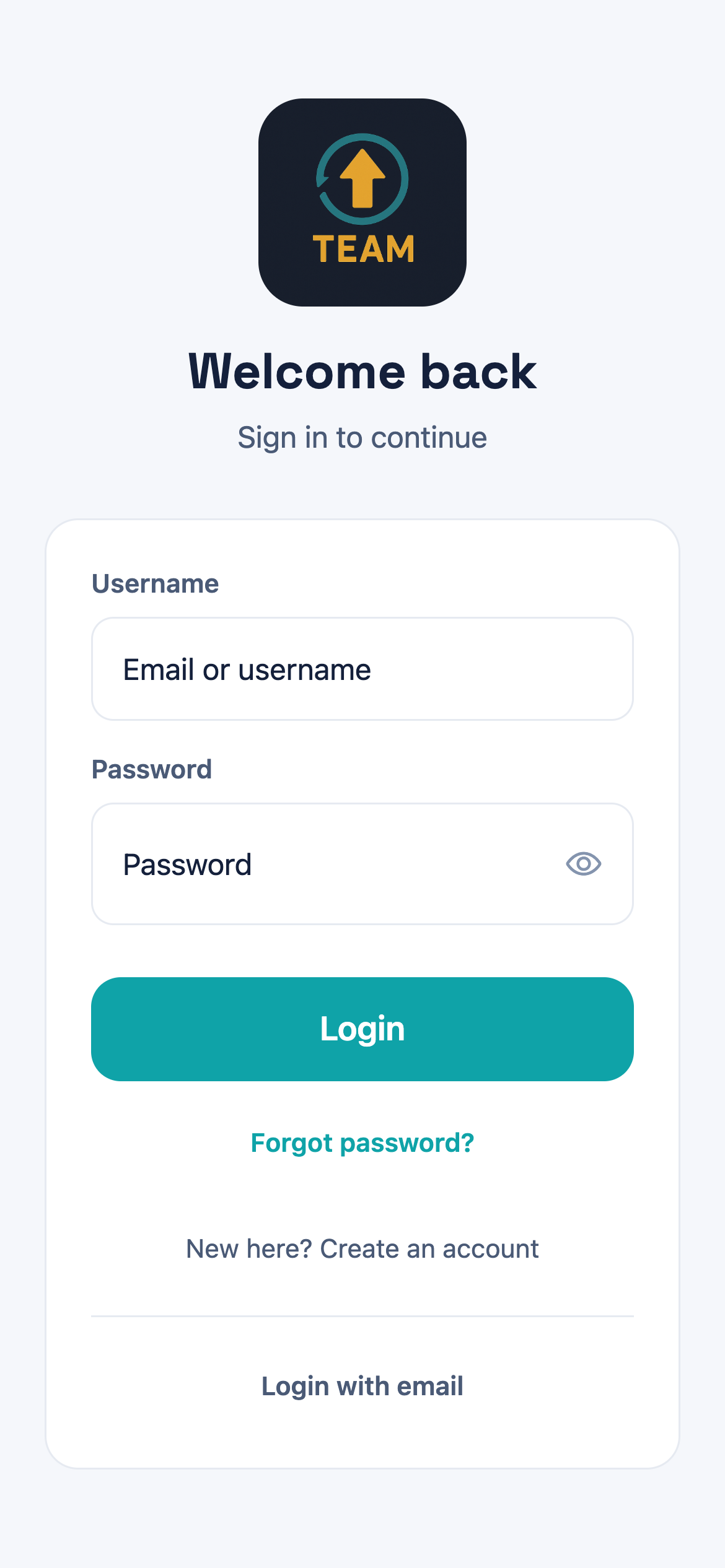
Everything you need is on this one screen — Forgot password? and Login with email both sit under the Login button. -
2
Type your password
Tap the eye at the end of the box to check what you've typed before you send it. -
3
Tap Login
You land on your team. If you belong to more than one, you pick from there.
Get a code by email instead
-
1
Tap Login with email
It's under the divider at the bottom of the sign-in screen. The password boxes disappear and an Email box takes their place.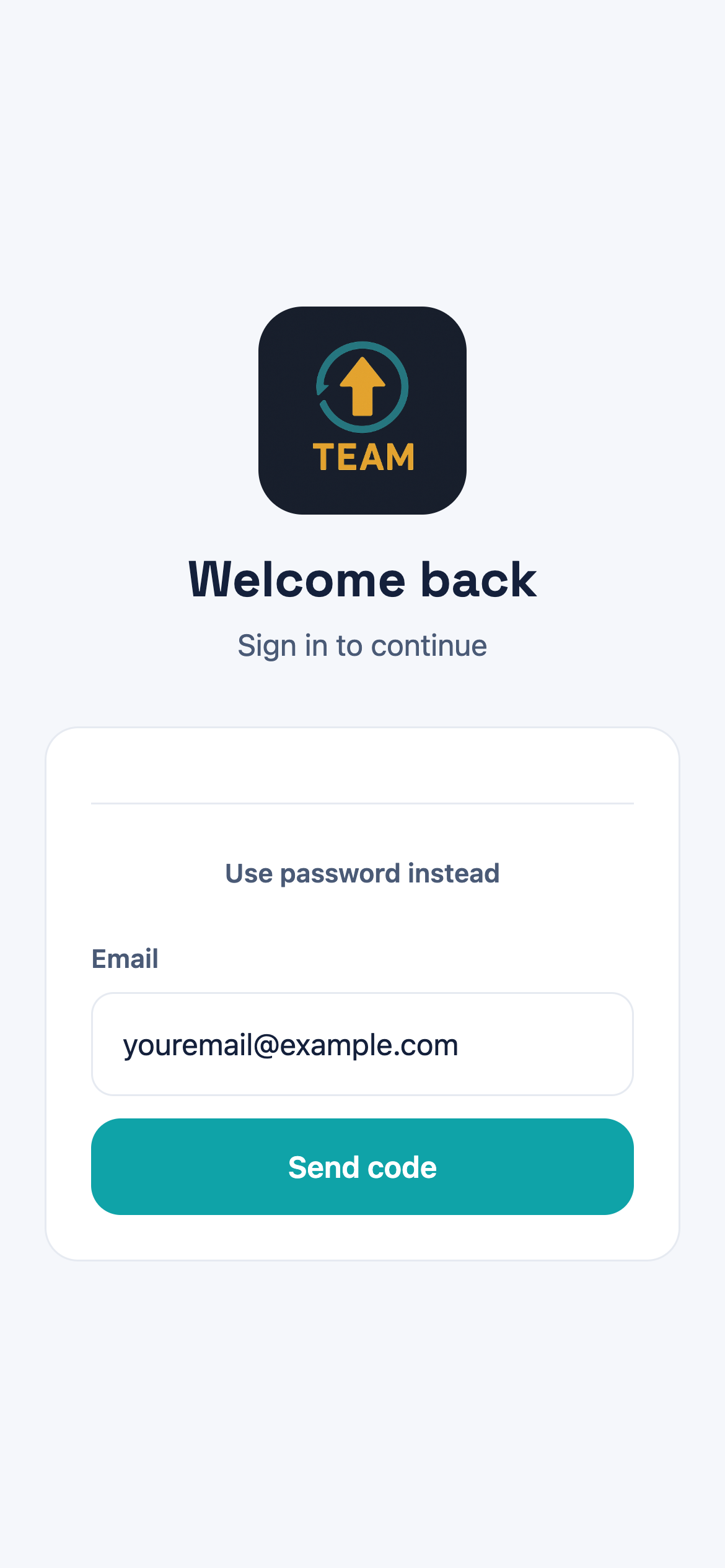
Use password instead puts the password boxes back, so nothing is lost by trying this first. -
2
Enter your email and tap Send code
Use the address your team has for you. A six-digit code arrives by email.You can only ask again after a minute — until then the button reads Resend disabled. -
3
Type the six digits
The screen counts down as you go. The code is good for ten minutes. -
4
Tap Verify & Login
That's it — no password needed, and nothing about your account changes.
Reset a forgotten password
-
1
Tap Forgot password?
It sits directly under the Login button.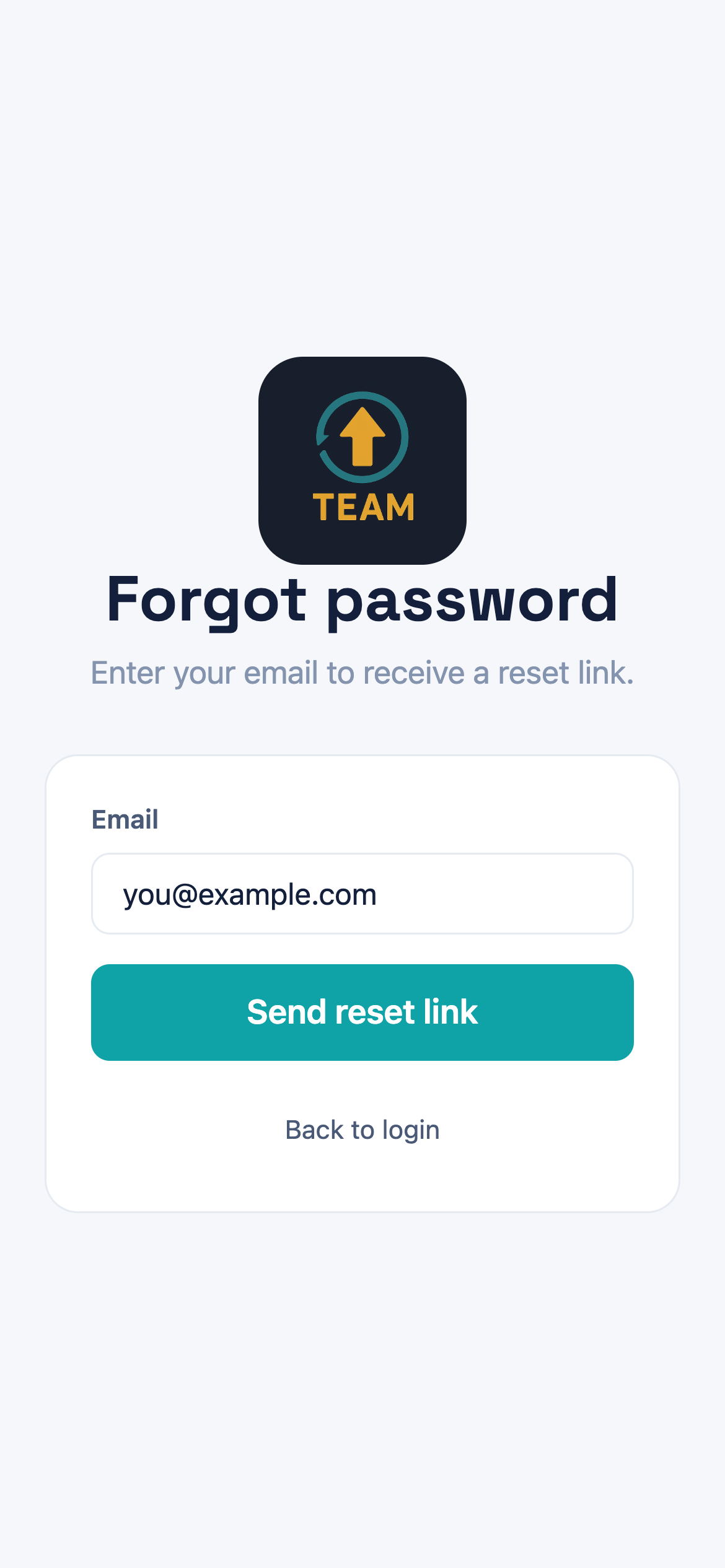
Back to login returns you without sending anything, if you land here by accident. -
2
Enter your email and tap Send reset link
The screen answers If an account exists, we sent a reset link — it says that whether or not the address is registered, so it isn't confirmation the email was right.Nothing arriving usually means a different address is on the account. Check with whoever runs your team before trying again. -
3
Open the link in the email
It opens the Reset password screen. Request a new one if the link is old — they don't last indefinitely. -
4
Enter the new password twice
New password, then Confirm new password. Eight characters minimum, and the two must match. -
5
Tap Reset password
Sign in with the new password. A reset also clears a locked account, so there's nothing else to undo.
Questions
Common questions
I never got the code
Check spam first. If it still hasn't arrived, the address on your account may not be the one you're typing — a code only goes to an address we already have. Ask whoever runs your team which address is on file.
My account is locked
Four wrong passwords locks it, and it stays locked until you use the unlock link we email you. That link expires after about fifteen minutes, so request it when you can act on it. Resetting the password clears the lock too.
The code stopped working
Codes last ten minutes. After that the screen offers Code expired — request a new one. Ten wrong guesses also cancels it, and you'll need a fresh one.
I never got the password reset email
The screen says a link was sent whether or not the address is registered, so that message isn't proof it went anywhere. Check spam, then check that the address is the one on your account.
Do I need a password at all?
No. Login with email signs you in with a six-digit code every time, which is enough if you'd rather not keep a password for the app.
It won't take my new password
It has to be at least eight characters, and the two boxes have to match exactly — the screen says Passwords do not match when they don't.
Still stuck?
Tell us what you were trying to do and where it went wrong, and we'll take a look.